
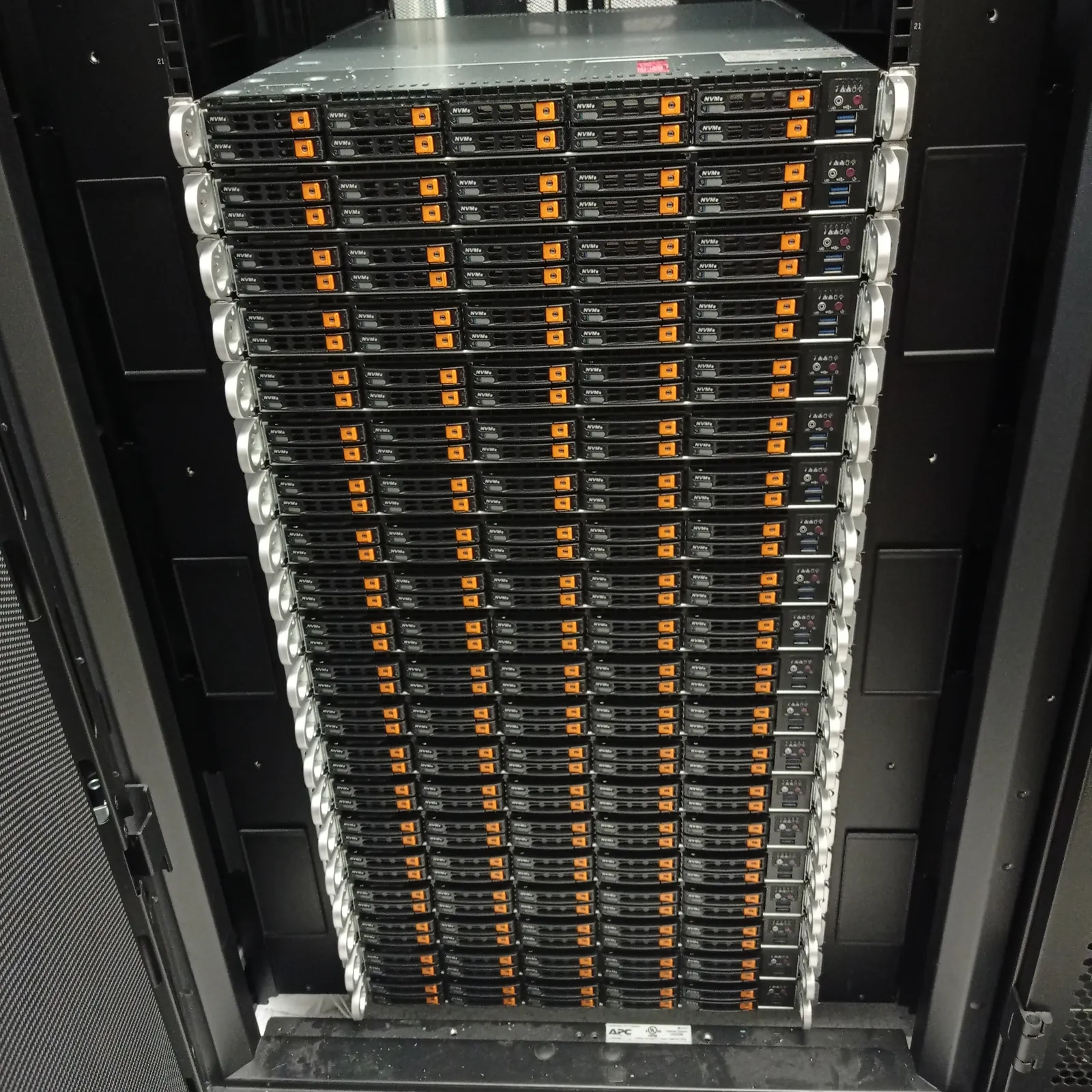
US infrastructure teams operating London trading, market-data, payments or risk systems often need someone at the rack while the system owner remains in New York, Chicago, Boston or another US office. Uplink provides independent Equinix LD4 remote hands for customer-owned servers, storage and cabling in Slough.
Uplink handles customer-authorised physical work at LD4: put an engineer beside the correct equipment, follow the work order and return evidence that the US team can use. Equinix, London Stock Exchange Group and your carrier control their own services; Uplink does not sell exchange connectivity or represent those companies.
Why LD4 appears in financial infrastructure plans
Equinix describes its London data centres as part of a financial-services and interconnection ecosystem. LD4 sits at 2 Buckingham Avenue in Slough and offers cross-connect, metro-connect and internet-exchange products alongside colocation. That makes the site relevant to trading firms, market-data providers, payment companies and technology vendors that need infrastructure in the London market.
London Stock Exchange documents a specific connection to UK trading venues. Its Exchange Wireless Service links the LSEG Exchange Hosting facility, Equinix LD4 and ICE's Basildon site using a low-latency wireless path, with an optional fibre backup. A rack in LD4 does not receive that connectivity automatically; the customer must order the appropriate service and confirm the technical handoff.
Keep colocation, connectivity and onsite support as separate decisions. Uplink works on the physical equipment you own or control. We do not promise an LSE round-trip figure because the result depends on the ordered circuit, carrier path, network equipment, cross-connects and application design. Measure the live service against its contracted specification.
What Equinix LD4 remote hands can change at the rack
An onsite engineer can identify a chassis, inspect link indicators, check an optic or cable against the approved port map, fit a replacement part and connect a crash cart. Those actions can resolve a physical fault or provide the evidence needed by the remote owner. They do not create a market-data entitlement, provision a carrier circuit or alter an exchange service.
For a latency incident, send the circuit reference, source and destination, normal baseline, first abnormal timestamp and measurements from both ends. State the physical checks you want at LD4. If the link is up but the path has changed elsewhere, the carrier or network operator may own the next action; an engineer should not move cables simply because a graph became slower.
Uplink can stay with a longer investigation where the same engineer needs to inspect, replace and retest customer hardware. Equinix also offers its own Smart Hands service around the clock. Choose the route that can perform the authorised task in the required window, and never dispatch two teams to change the same device without a single change owner.
Run a London change from a US operations desk
Write the maintenance window in UTC and UK local time, then name the US time zone used by the approval team. The United Kingdom and United States change their clocks on different Sundays, so the usual Eastern-to-London time difference briefly changes during spring and autumn. A ticket that says 7 p.m. without a zone is an avoidable outage risk.
Nominate one person who can approve physical work and another who can accept the result. They may be the same person, but the ticket should say so. The onsite engineer needs a live voice or incident channel during the visit, not a distribution list that somebody will read after the London window closes.
Set a latest start time for every disruptive action. If a US team comes online at 14:00 Eastern and the UK access window ends at 20:00 London time, entry, identification and inspection may consume much of the overlap. Decide in advance when to stop, when to use the approved rollback and what can wait for another visit.
Build a work order that controls the rack-level risk
Start with the physical identity: LD4, customer cage or cabinet, rack position, asset label, serial number, vendor and model. Add the symptom and last known good time, but do not turn a suspicion into an instruction. Suspected failed NIC does not authorise a replacement unless the change owner has approved that action and supplied the correct part.
Separate observation from change. The engineer can first verify labels, indicators, connections and the installed component. Your remote owner then compares that evidence with monitoring before approving a cable move, reseat, power action or part swap. If the rack does not match the drawing, the work pauses; the deadline does not grant permission to improvise on production infrastructure.
- LD4 work-visit reference, customer space and approved access window
- Rack position plus a physical asset label or serial number
- Exact checks and changes authorised before dispatch
- UTC, London and US time-zone references for the work window
- Named approval contact, backup contact and stop conditions
- Acceptance tests, evidence requirements and removed-part handling
Treat market connectivity faults as an evidence problem
A useful physical-layer check records the port label, optic make and part number, indicator state, cable label and any visible damage. If your policy allows photographs, request Equinix approval before the visit and specify the views you need. Otherwise use a written record that links each observation to the chassis and port.
Ask the remote network engineer to capture interface counters and device state before any approved intervention, then repeat the same checks afterwards. That comparison matters more than a message saying cable checked. If an optic is replaced, record both serial numbers and retain the removed unit according to your chain-of-custody instruction.
End-to-end latency must come from your monitoring or a controlled test between defined endpoints. Uplink can perform the onsite part of that test, but the customer owns the test method, acceptance threshold and interpretation. If measurements point beyond the rack, hand the evidence to the carrier, Equinix or LSEG service team responsible for that segment.
Protect storage, time and trading hardware during a change
Financial systems often couple hardware state with strict operational records. Before touching a RAID controller, drive, time appliance or network interface, capture the current alerts and configuration through the approved management tools. An onsite engineer should not initialise an array, force a drive online or change controller metadata without explicit authority from the system owner.
For a server or appliance replacement, list every cable and slot that must return to the same position. Use first-device acceptance before repeating a change across a pair or cluster. Your remote team confirms management access, link state, clock status and service health; the onsite record confirms what changed physically.
Removed drives and security-sensitive parts need written handling instructions before work starts. State whether the item remains in the cabinet, moves to a secure customer area or enters an approved collection process. Do not leave that choice to the engineer after the maintenance window has ended.
Arrange Equinix access for an independent engineer
Equinix's work-visit process allows a customer administrator to name an external vendor for maintenance. The request identifies the IBX, customer space, visitor and work window; the visitor must present government-issued photo identification. Send Uplink the approved visit reference before travel and make sure the engineer's name matches the booking.
A work visit grants access under Equinix's current rules. It does not grant authority to alter any customer device. Your work order supplies that authority, while Equinix controls entry, escorts, cabinet opening and facility services. New cross-connects, operator-managed paths and changes to shared infrastructure remain separate Equinix orders.
Recording rules also matter. Equinix requires prior review for photography or video outside the permitted private-space conditions described in its visitor guidance. If your audit record needs images, request permission with the visit rather than asking the engineer to decide at the rack.
What to send when requesting LD4 cover from the US
Send the company name, LD4 cabinet reference, requested date, UK and US time zones, equipment list and the physical outcome you need. Add the access status, onsite spare references, approval contact and acceptance plan. For an incident, include what changed, what remains reachable and which actions have already been tried.
Weekday evenings and weekends are regular working hours for Uplink. For available urgent work, we target attendance at LD4 within 40 minutes, subject to traffic and engineer availability, and confirm the ETA before dispatch. Customer-arranged access controls when work can start; the attendance target is not a repair-time guarantee.
Use the engineer request form for planned work or call +44 7425 571454 for an urgent LD4 request. We quote the defined task, waiting and reporting requirements before the visit where circumstances allow. Uplink is independent of Equinix and LSEG, and works only on customer-authorised equipment.
Frequently asked questions
Can a US company book Uplink remote hands at Equinix LD4?
Yes. We provide independent remote hands and onsite engineering for customer-owned equipment at LD4, subject to confirmed scope, engineer availability and a customer-arranged Equinix work visit.
Does having equipment at LD4 guarantee low latency to London Stock Exchange?
No. LSEG documents connectivity between its Exchange Hosting environment and LD4, including Exchange Wireless, but the customer must order the relevant service. Actual latency depends on the circuit, carrier path, cross-connects, network equipment and application.
Can Uplink work while our US technical team controls the change?
Yes. Put the window in UTC and London time, identify the US time zone, keep the approval contact online and define the checks, stop points and acceptance tests before the visit.
Is Uplink affiliated with Equinix or London Stock Exchange Group?
No. Uplink is an independent onsite engineering provider. Equinix controls facility access and services; LSEG, carriers and other providers control their own connectivity products.
References
- Equinix: LD4 address and location
- Equinix: London financial-services and interconnection ecosystem
- Equinix: scheduling a work visit and recording permissions
- Equinix: its own Smart Hands service
- London Stock Exchange: market connectivity options
- London Stock Exchange: Exchange Wireless connectivity between LSEG, LD4 and ICE Basildon
Facility names and addresses can change. Confirm the current access record with the operator before booking travel or sending parts.