Rack, stack and connect
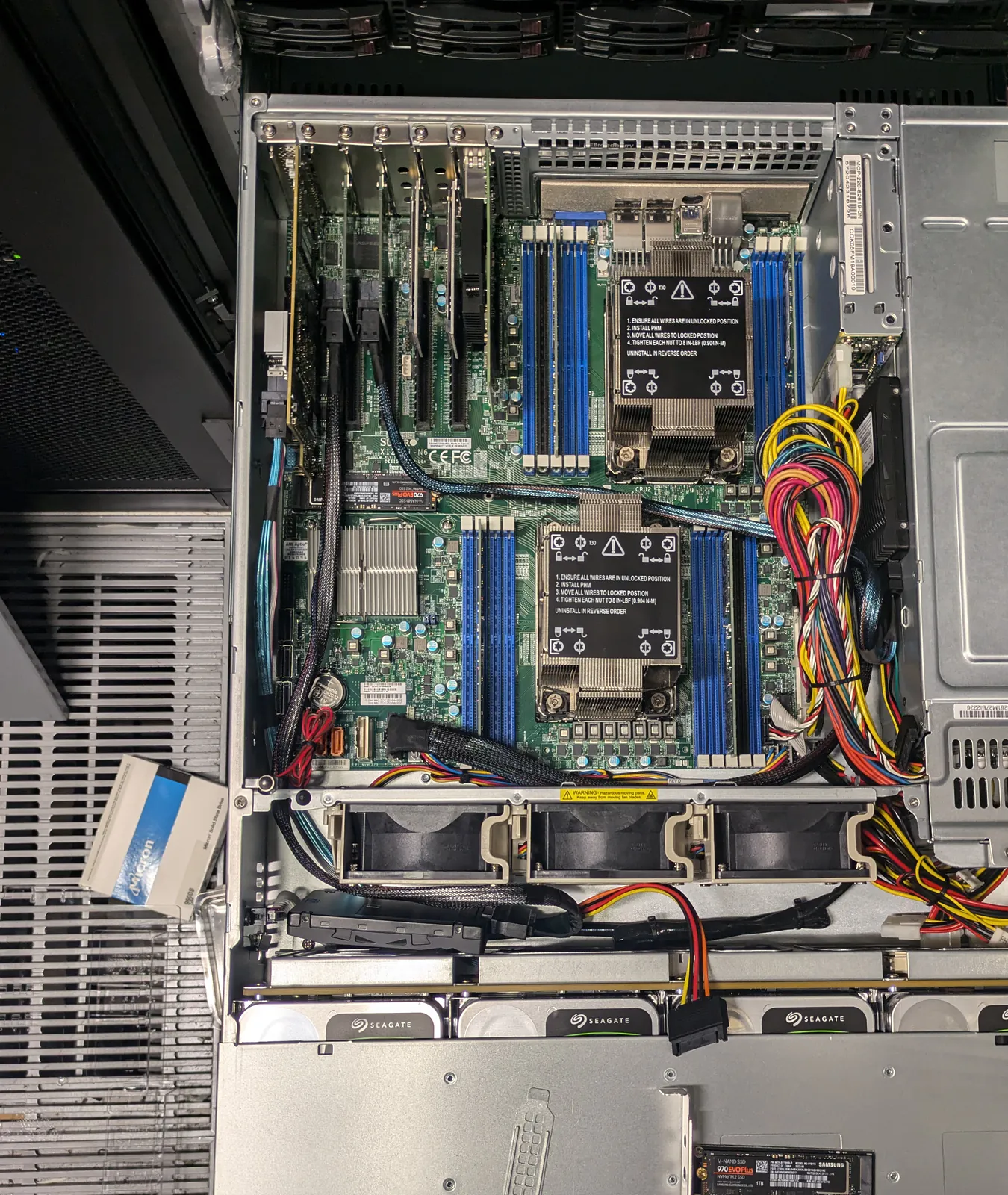
Install servers, storage, switches and appliances to the agreed rack plan. Fit rails, connect A and B power, patch network ports, apply labels and return installation photographs.

Smart hands IT services · Greater London
Installation, cabling, hardware swaps, fault diagnosis and decommissioning for customer-owned infrastructure when your own team cannot be onsite.
Over 15 years of experience in hardware deployments and troubleshooting.
What the service means
Smart hands IT services cover physical work that needs onsite judgement. Your team owns the system and approves the change; Uplink handles the equipment in the data hall, reports what is found and stops when the work order says to stop.
You may also see the service called data centre smart hands, data center smart hands or smart hands datacenter support. The useful distinction is the work itself: it goes beyond reading an LED or moving one named cable.
Read the Smart Hands versus Remote Hands guideOnsite work
Install servers, storage, switches and appliances to the agreed rack plan. Fit rails, connect A and B power, patch network ports, apply labels and return installation photographs.
Trace copper, fibre and power paths before moving anything. Replace failed patch leads, correct the physical path, tidy the rack and record both ends of each changed connection.
Inspect faults that remote monitoring cannot settle. Check power, seating, indicators, controllers, drives, backplanes and internal cabling while your remote technical contact stays in control of the change.
Fit drives, memory, power supplies, fans, NICs, HBAs and other agreed parts. Serial numbers and removed components are matched to the work order before handover.
Disconnect and remove retired equipment without disturbing adjacent services. Uplink can inventory the hardware, pack it for collection and handle drives under an agreed onsite destruction process.
Choose the right level of help
Remote hands
Suits a visual check, a controlled power cycle, reading a label or patching a clearly identified port. Your remote team supplies each step and makes every technical decision.
Smart hands
Suits installation, cable tracing, component swaps and physical diagnosis. The onsite engineer can interpret what is in front of them, work through an agreed runbook and report evidence back to your team.
Providers define these terms differently. Uplink confirms the task, authority and stop points in writing, so the label never substitutes for a clear scope.
London data-centre coverage
Access belongs to the customer and facility operator. Send the exact site, postcode and booking window; Uplink will confirm coverage before anyone travels.
Search the data-centre directory
Hardware knowledge onsite
Uplink works across Dell PowerEdge, HPE ProLiant, Lenovo ThinkSystem, Supermicro, GIGABYTE, ASUS and ASRock Rack systems. That matters when the task changes from fitting a part to explaining why the system still will not boot.
We also work with Broadcom MegaRAID controllers used across several OEM platforms and with HPE Smart Array. For an offline RAID array, the first job is to preserve the controller and drive state before any import, rebuild or forced change is considered.
Read the offline RAID response guideBefore the visit
Exact operator, facility, postcode, access window and booking reference.
Cage, suite, row, rack position and the customer name used for access.
Equipment model, serial number, asset label, symptoms and recent changes.
Required result, permitted actions, stop points and rollback instruction.
Parts and tools expected onsite, plus any lifting or handling requirement.
A remote technical contact who can answer during the whole change window.
Questions
Smart hands services provide an engineer at the rack when the customer or system owner cannot attend. The work can include installation, cabling, component replacement, console assistance, physical fault diagnosis and decommissioning. The customer arranges access and authorises the scope.
The wording varies between providers. Remote hands usually describes a simple physical task carried out from exact instructions, such as reading an indicator or moving a named cable. Smart hands normally calls for more technical judgement, such as tracing a fault, fitting hardware or working through a runbook with a remote engineer.
Uplink covers data centres and business IT sites across Greater London and neighbouring areas. Send the facility name, postcode and access window so we can confirm attendance before the visit is booked.
Yes, where the scope and access are agreed. Uplink can preserve the starting state, identify the controller and drive layout, inspect physical paths and work with your remote owner on the next action. We do not initialise, import or force drives online without clear authority and evidence.
Send the exact facility, access window, cage and rack reference, equipment model and serial number, the work needed, permitted actions, stop points, parts list and a remote contact who can make decisions during the visit.
Request smart hands in London
Send the facility, access window, equipment and the result you need. We will confirm scope, availability and the next step.